


Blossom Master: Tile Matching
4.8330.00 Reviews
App Specs
- Version
- 1.10.0
- Updated On
- License
- Free
- Downloads
- 1,000,000+
- Developer
- LIHUHU PTE. LTD.
- Categories
- Board
- Platform
- Android
Screenshots
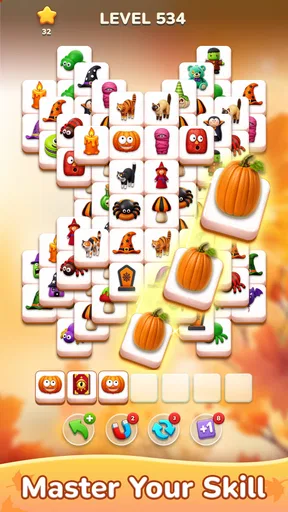
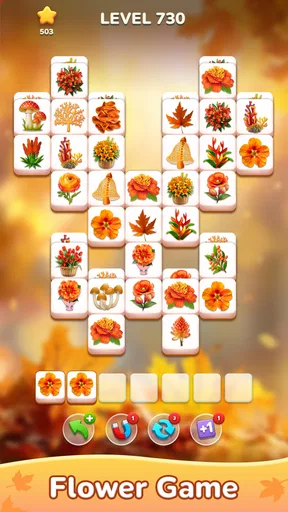
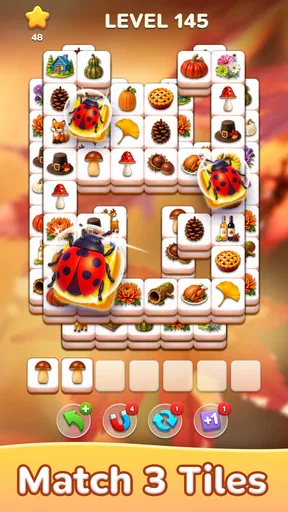
 Analysis by AppCompare
I tend to reach for a tile-matching game when I have a few spare minutes, but the first hurdle is often choosing one that feels calm without becoming dull. Blossom Master: Tile Matching sits in that gentle puzzle space: its floral presentation makes the board feel inviting, while matching tiles still asks me to pause and think. I see it as a casual board game for short breaks rather than a high-pressure test of speed. That distinction matters if you want something soothing, but also explains why it may not satisfy players looking for competition or a deep strategy system.
Where a tile puzzle can trip you up
The basic idea is easy to grasp, but an easy first step does not mean every later board will solve itself. As the layouts and objectives change, I find it useful to look over the whole arrangement before making a move. Matching the first available tiles can feel satisfying, yet a little planning may keep the board from becoming awkward later. My practical advice is to treat each move as a choice, not just a quick tap, especially when a level has become more demanding.
That slower approach also helps when you are playing while distracted. If you have only half an eye on the screen, it is easy to make a move without noticing how it affects your options. I would save the more involved levels for a moment when I can focus, and use a short, uncomplicated session as a low-effort break. This is a small change in habit, but it makes the puzzle feel more deliberate and less like a sequence of random taps.
Setup checks before your first session
The game is free to download, and it is made by LIHUHU PTE. LTD. Its current version is 1.8.1, it requires Android 7.0 or later, and it is rated for Everyone. The game has an average rating of 4.8 from around 4,900 ratings, with more than a million installs. I mention those details as context, not as a promise that every player will have the same experience. Optional in-app purchases range from $1.99 to $99.99 per item, so I would check purchase controls on a shared device before handing it to a child, even though the age rating is Everyone.
If the game does not start smoothly, I would begin with ordinary checks rather than assume the puzzle itself is at fault: confirm that the device meets the Android requirement, close and reopen the app, and check that the device has enough free space for normal operation. A restart can also clear a temporary hiccup. These are general mobile troubleshooting steps, not special fixes for this title. If an issue continues, note what you were doing when it occurred before deciding whether to try another session.
How to make the game fit your routine
I’d keep sessions tied to a natural pause—waiting for a ride, taking a quiet break, or winding down at home—so the game stays enjoyable rather than becoming a chore. When I have only a minute, I can choose a simple stopping point instead of rushing through a tricky board; when I have more time, I can give the layout proper attention. That routine also makes it easier to notice when a different kind of break would suit me better.
Recovering a session without making it frustrating
A useful way to play is to treat each level as a self-contained pause rather than a task you must finish in one sitting. If something interrupts you, return when you can give the board your attention instead of rushing through moves just to get back to where you were. I also avoid spending coins or boosters reflexively when a level gets difficult; a brief pause and a fresh look at the board may be enough to spot a better sequence. That keeps any optional help feeling like a considered choice rather than a habit.
Worth Reading Before You Choose

EA SPORTS FC Mobile 26 Is a Bigger Football Game, but It Takes Time

Flipboard Shows What News Apps Must Do Beyond the Feed

Switching to Android Auto Means Rethinking Your Driving Routine

Google Calendar Makes a Crowded Week Easier to Manage

Ludo King Makes the Most of the Minutes Between Plans

Baby Panda World Brings Quick Play to Modern Phones, but Its Game Library Feels Busy
The game’s daily challenges can provide a reason to return, but I would not turn them into an obligation. If you enjoy a small routine, they can make a quick break feel purposeful. If you are trying to reduce screen time or dislike games that encourage daily check-ins, it is perfectly reasonable to ignore that loop and play only when it suits you. The most useful routine is one that leaves the game relaxing instead of making it another item on a checklist.
When the app may not be the cause
Not every interruption points to a fault in the game. A device under heavy load, an unstable connection, or a brief operating-system issue can affect how any mobile app behaves. I would close apps I do not need, check the device’s connection if a particular screen depends on it, and try again after a restart. If the problem happens repeatedly only during one specific action, keeping track of that pattern is more helpful than repeatedly tapping through the same step. This kind of troubleshooting is simple, but it can prevent a temporary device issue from spoiling an otherwise pleasant session.
Who will enjoy it—and who may want another puzzle
I think this is a good fit for someone who likes approachable matching puzzles, floral visuals, and a gradual increase in challenge. It also works well for a short waiting-room break or a quiet pause after work: you can focus on a board without needing to commit to a long narrative or learn a complicated rule set. Compared with a word puzzle, it asks you to scan shapes and plan matches rather than retrieve vocabulary; compared with a traditional board game, it is easier to pick up alone and does not depend on finding another player.
On the other hand, I would look elsewhere if you want direct competition, a strong social element, or a puzzle that continually introduces intricate rules. Its appeal is the calm tile-clearing loop, so someone who tires quickly of matching games may find the familiar core less compelling even as the layouts change. The best way to judge that trade-off is to notice whether you enjoy thinking a move ahead; if you mainly want fast action, this is unlikely to be the right fit.
My experience with the play style
If I have a few minutes between errands, I can start a level and use it as a focused pause. At home, I might play longer when I want something gentle beside a podcast or a quiet evening activity. I would avoid playing while walking, crossing a street, or doing anything that needs attention; the game is casual, but planning a board still asks you to look at the screen. For a shared family device, I would also make sure the person playing understands that optional purchases exist and that spending should be checked with an adult.
There is a useful trade-off in the game’s relaxed presentation: it lowers the pressure, but it does not remove the need to pay attention. That makes it a better fit for a small mental reset than for multitasking. If a level feels stubborn, stepping away is often more pleasant than continuing out of frustration. When I come back with fresh eyes, I can reassess the layout instead of treating a tough board as a reason to spend or rush.
Gameplay and Features
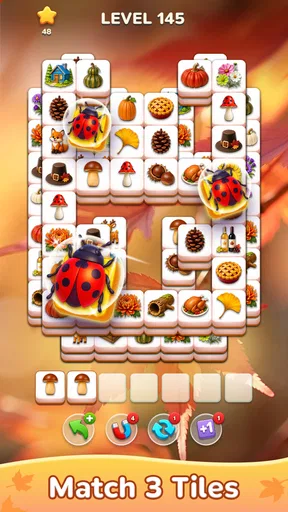
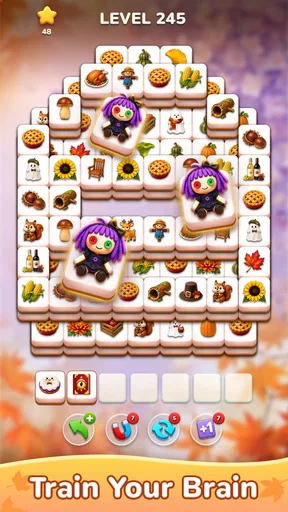
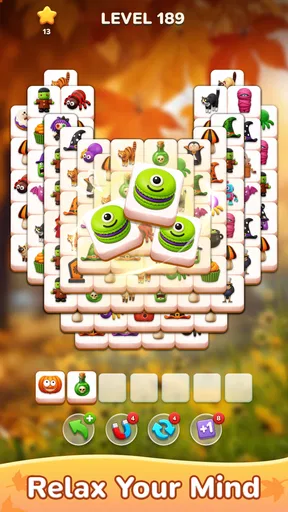
At its core, Blossom Master: Tile Matching is a game of strategy. You're tasked with matching tiles to clear levels, and the complexity increases as you progress. The game introduces various challenges and obstacles, keeping it fresh and exciting. I found the gradual increase in difficulty to be well-paced. Just when you think you've mastered it, a new element is introduced to keep you on your toes.
One of the standout features is the variety of levels. You're not just doing the same thing over and over. Each level has its own unique layout and objectives, which keeps the gameplay dynamic. Plus, there are daily challenges that offer rewards. These are a fun way to earn extra coins or boosters, which can be really helpful in tougher levels.
Design and Sound
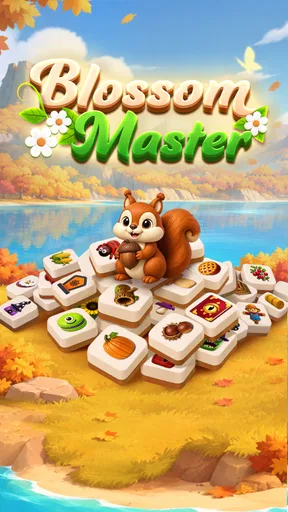
The design is a feast for the eyes. The tiles are beautifully crafted with floral themes, which adds a touch of nature to the game. The background music is calming, almost meditative, making it a perfect companion for unwinding after a long day. The sound effects are subtle, enhancing the experience without being intrusive. It's clear the developers have put thought into creating an environment that's both engaging and relaxing.
User Experience
I must say, the user experience is top-notch. The game runs smoothly, and I didn't encounter any bugs or glitches during my playtime. The loading times are quick, and the transitions between levels are seamless. I also appreciate the lack of intrusive ads. While there are some, they are not overwhelming, and you can often skip them after a few seconds.
Another thing that stands out is the in-game purchases. While the game is free to play, there are options to buy coins and boosters. However, I found that you can progress without spending a dime, which is always a plus in my book. It feels like the developers are not pushing you to make purchases, and that’s refreshing in today’s gaming world.
Final Thoughts
In conclusion, Blossom Master: Tile Matching is a fantastic blend of relaxation and challenge. It's a game that you can pick up for a few minutes or dive into for hours. The engaging gameplay, beautiful design, and thoughtful features make it a must-try for anyone looking to add a little tranquility to their day. Whether you're a casual gamer or a puzzle enthusiast, this app has something for everyone. So go ahead, give it a try, and watch as those tiles start to bloom!
Pros
- Engaging tile-matching gameplay.
- Intuitive and user-friendly interface.
- Vibrant and colorful graphics.
- Regular updates with new levels.
- Offline play mode available.
Cons
- Contains in-app purchases.
- Occasional ads may interrupt play.
- Limited lives can hinder progress.
- No multiplayer mode available.
- Some levels may feel repetitive.
FAQs for Blossom Master: Tile Matching
What is Blossom Master: Tile Matching all about?
Blossom Master: Tile Matching is a puzzle game that challenges players to match floral-themed tiles. It combines strategy and quick thinking as you progress through increasingly difficult levels. The game is designed to be both relaxing and mentally stimulating, making it perfect for casual gamers who enjoy a visually pleasing experience.
Is Blossom Master: Tile Matching free to play?
Yes, Blossom Master: Tile Matching is free to download and play. However, like many mobile games, it offers in-app purchases. These can enhance the gameplay experience by providing extra lives, power-ups, or removing ads. Players can enjoy the full game without purchasing, but these options may offer added convenience.
What are the main features of Blossom Master: Tile Matching?
Blossom Master: Tile Matching features a variety of levels with increasing difficulty, beautiful floral graphics, and soothing music. The game includes daily challenges, special events, and the ability to connect with friends for a competitive edge. Its intuitive controls and engaging gameplay keep players coming back for more.
Does Blossom Master: Tile Matching require an internet connection?
Blossom Master: Tile Matching can be played offline, making it a great choice for those who want to enjoy the game without needing a constant internet connection. However, certain features, such as leaderboards and special events, may require online access to fully participate and enjoy all aspects of the game.
What platforms is Blossom Master: Tile Matching available on?
Blossom Master: Tile Matching is available on both Android and iOS platforms. This ensures that a wide range of mobile users can download and enjoy the game. Regular updates are provided to enhance functionality and introduce new features, maintaining an engaging experience for players on both operating systems.


